
 All vikis
 007 First Light
 Aion 2
 Ananta
 ARC Raiders
 ArcheAge Chronicles
 Call of Duty: Modern Warfare 4
 ChatGPT
 Chrono Odyssey
 Civilization 3
 Civilization 4
 Claude
 Crimson Desert
 Deadlock
 Diablo 4
 Diablo 5
 Enshrouded
 Fable
 Final Fantasy Resonance
 Football Manager 27
 Forza Horizon 6
 God of War
 Grand Theft Auto 6
 Heroes of Might and Magic 3
Run AI Locally
To run AI on your own computer, install Ollama or LM Studio (both free) and download an open model sized to your memory, such as Gemma 4, Qwen 3.5 or 3.8, or gpt-oss 20b. With 8 to 16 GB a small model runs well; a 24 GB graphics card or a 32 GB Mac runs 27B to 31B models.
The easiest way to run AI on your own computer is to install Ollama or LM Studio, both free, and download an open model that fits your memory. Pick the tool: LM Studio if you want a desktop app with a model browser, Ollama if you are happy in a terminal or want a model behind other apps, llama.cpp if you want full control. Pick the model by memory: with 8 GB, a 2B to 4B model such as Gemma 4 E4B; with 16 GB, gpt-oss-20b or a 9B Qwen; with a 24 GB graphics card or a 32 GB Mac, Gemma 4 31B or Qwen3.8 27B. Nothing you type leaves the machine, and it works offline.
Local AI makes sense for privacy, offline use, cost at high volume and tinkering. It is not the way to get the best answers: the top models on the AI Leaderboards (Gemini, Claude, GPT) are closed and run only in the cloud, and the strongest open models, such as DeepSeek V4 or Mistral Large 4, need server hardware. For those, use a hosted service such as OpenRouter or Hugging Face.
The tools compared
| Ollama | LM Studio | llama.cpp | |
|---|---|---|---|
| Price | Free (MIT) | Free, including for work (since Jul 2025) | Free (MIT) |
| Interface | Terminal, simple chat app (macOS, Windows) | Full desktop app | Terminal, built-in web page |
| Systems | macOS, Windows, Linux | Apple Silicon Mac, Windows, Linux | Everything, including Nvidia, AMD and Apple GPUs |
| Local API | OpenAI compatible, port 11434 | OpenAI compatible | OpenAI compatible (llama-server) |
| Best for | Quick start, models behind coding agents | Browsing and trying models | Maximum control and speed tuning |
Sources: each tool's site, read Nov 6, 2026. All three run GGUF model files, and Ollama and LM Studio also use Apple's MLX on Apple Silicon. Other options include Jan and GPT4All (desktop apps) and vLLM (for servers).
Step by step with Ollama
- Install from ollama.com/download, or on macOS and Linux run
curl -fsSL https://ollama.com/install.sh | sh. - Run
ollama run gemma4. It downloads Google's Gemma 4 E4B (a 6.6 to 9.5 GB download) and opens a chat. - Try others:
ollama run gpt-oss:20b,ollama run qwen3.5:9b.ollama lslists what you have,ollama rmdeletes one (Ollama CLI). - To use it from other apps, point them at
http://localhost:11434/v1(OpenAI compatibility);ollama launchsets up Claude Code, Codex and others in one step.
In LM Studio the same steps are clicks: search for a model, pick a size the app marks as fitting, download, chat. In an Aug 31, 2026 video, Tech With Tim loaded Gemma 4 in LM Studio and chatted with it at about 120 tokens per second on a dedicated graphics card.
How much memory do I need?
The rule: a model needs about as much memory as its download, plus room for the conversation. On a PC, what counts is the graphics card's memory (VRAM); a model that spills into ordinary RAM runs much slower. On an Apple Silicon Mac, most of the unified memory is available to the model, which is why Macs run larger models than PCs with similar budgets.
| Your machine | Comfortable model sizes | Good choices (download size) |
|---|---|---|
| Phone, or 8 GB laptop | 1B to 4B | Gemma 4 E2B or E4B (4.6 to 9.5 GB), Qwen 3.5 2B or 4B (2.7 to 4 GB), Llama 3.2 3B |
| 16 GB Mac, or a PC with an 8 to 12 GB graphics card | 8B to 20B | gpt-oss-20b (14 GB), Qwen 3.5 9B (6.6 to 7.6 GB), Gemma 4 12B (7.7 to 8 GB), Ministral 3 8B or 14B |
| 32 GB Mac, or a 24 GB graphics card (RTX 3090, 4090, 5090 class) | 27B to 35B | Gemma 4 31B (19 to 20 GB), Qwen3.8 27B (18 GB), Gemma 4 26B A4B (16 to 19 GB), Muse Glimmer (under 20 GB at 4-bit) |
| 64 to 128 GB Mac, or a workstation | 70B to 120B | gpt-oss-120b (65 GB), Llama 4 Scout (67 GB), Qwen 3.5 122B (81 GB) |
| Multi-GPU server or several large Macs | 400B and up | Llama 4 Maverick, Mistral Large 4, DeepSeek V4, Muse Spark Open (Meta says two M5 Ultra Mac Studios) |
Download sizes from the Ollama library, read Nov 6, 2026. Google publishes exact memory figures for Gemma 4 at each precision: the 31B needs 17.5 GB at 4-bit and 69.9 GB at 16-bit, weights only.
Quantization is what makes this work: models are shrunk from 16-bit to 4-bit or 8-bit numbers, cutting memory by two to four times for a small loss in quality. llama.cpp supports 1.5-bit to 8-bit quantization; 4-bit (Q4) is the usual default, and the tools pick it for you.
Mixture of experts models, such as Gemma 4 26B A4B or gpt-oss, run only part of their weights for each word, so they answer faster than a dense model of the same size, but still need memory for all of it (Google).
Which local model is best?
| Task | Pick | Why |
|---|---|---|
| All-round chat on a laptop | Gemma 4 E4B or 12B | Small, reads images and audio, Apache 2.0 |
| Reasoning on 16 GB | gpt-oss 20b | OpenAI's open reasoning model, adjustable effort, Apache 2.0 |
| Coding and agents on a 24 GB card | Qwen 3.8 27B or Gemma 4 31B | Strong mid-size models with 256K context |
| Local agents | Muse Glimmer | Meta built it for always-on local agents, Apache 2.0 (Meta) |
| European maker | Mistral Ministral 3 or Small 4 | Apache 2.0 |
| Phones | Gemma 4 E2B or E4B | About 1.1 GB and 2.5 GB on a phone, per Google |
These are starting points. Google said Gemma 4 31B ranked third among open models on Arena's text leaderboard at its Apr 2026 launch. The highest-scoring open models on the Artificial Analysis index (Kimi K3.1 Pro, DeepSeek V4.1 Flash, GLM-5.3) are server-sized; Kimi, DeepSeek and GLM have the details. Llama 4 still runs well but has had no new release since Apr 2025.
Local AI vs the cloud
Local wins on privacy (nothing leaves the machine), offline use, no per-message cost, no usage limits and freedom to change the model. The cloud wins on quality, since the leading models are closed; on speed for large models; and on features such as web search, memory and image generation that come built into ChatGPT, Claude and Gemini. A middle path: Ollama's and LM Studio's paid plans run large open models on their servers (Ollama says it keeps zero data and never trains on it), and OpenRouter reaches hundreds of models through one API. Compare policies on AI Privacy Compared.
How we chose
Tools were chosen for being free, maintained and widely supported; their facts come from their own sites and docs. Models were chosen from makers' model cards and Ollama's library (download sizes read Nov 6, 2026), across sizes and licenses, with quality signals from Arena and Artificial Analysis as cited. No benchmark here is our own.
Frequently asked questions
Can I run AI locally for free? Yes. Ollama, LM Studio and llama.cpp are free, and open models such as Gemma 4, Qwen and gpt-oss are free to download; you need only a computer with enough memory, as of Nov 6, 2026.
What is the best local LLM? For most people in Nov 2026, Gemma 4 (E4B on a laptop, 31B on a 24 GB graphics card), gpt-oss-20b on a 16 GB machine, or Qwen3.8 27B for coding are strong starting points.
How much RAM do I need to run an LLM locally? About as much free memory as the model's download plus room for the conversation: 8 GB runs 2B to 4B models, 16 GB runs gpt-oss-20b or 9B models, and 24 to 32 GB runs 27B to 31B models.
Is Ollama or LM Studio better? LM Studio is the easier desktop app with a model browser; Ollama is lighter, open source and better as a background service for other apps. Both are free and run the same models.
Can I run ChatGPT locally? Not ChatGPT itself, but OpenAI's open-weight gpt-oss-20b runs locally in 16 GB of memory, and gpt-oss-120b on an 80 GB GPU.
Can a Mac run local AI? Yes. Apple Silicon Macs run local models well because the model can use most of the unified memory; LM Studio needs an M1 or later with macOS 14, and Ollama and LM Studio both use Apple's MLX for speed.
Sources
- Ollama, GitHub, read Nov 6, 2026
- Download Ollama, CLI reference, OpenAI compatibility and Pricing, Ollama, read Nov 6, 2026
- gemma4, qwen3.5, qwen3.8, gpt-oss and llama4, Ollama library, read Nov 6, 2026
- LM Studio is free for use at work, LM Studio, Jul 8, 2025
- llama.cpp, GitHub, read Nov 6, 2026
- Gemma 4 model overview, Google AI for Developers, read Nov 6, 2026
- Gemma 4: Byte for byte, the most capable open models, Google, Apr 2, 2026
- gpt-oss-20b, Hugging Face, read Nov 6, 2026
- Mistral Large 4 1T A52B, Hugging Face, read Nov 6, 2026
- Introducing Muse Glimmer, Meta, Aug 10, 2026
- Muse Spark Open, Meta, Oct 15, 2026
- Model leaderboard, Artificial Analysis, read Nov 6, 2026
- Local AI Explained: How to Run AI Models on Your Computer, Tech With Tim, Aug 31, 2026 (video)
Moments
Local AI Explained: How to Run AI Models on Your Computer
Tech With Tim
- The easiest way to run AI on your own computer is to install Ollama or LM Studio, both free, and download an open…
- Local AI makes sense for privacy, offline use, cost at high volume and tinkering. It is not the way to get the best…
- In LM Studio the same steps are clicks: search for a model, pick a size the app marks as fitting, download, chat. In…
- The rule: a model needs about as much memory as its download, plus room for the conversation. On a PC, what counts is…
- Quantization is what makes this work: models are shrunk from 16-bit to 4-bit or 8-bit numbers, cutting memory by two…
Related
-
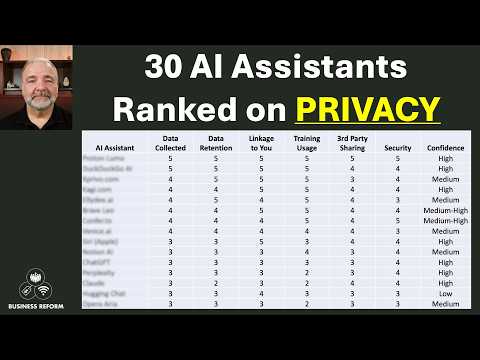 AI Privacy ComparedAs of Nov 6, 2026, ChatGPT, Microsoft Copilot, Mistral's Vibe, Perplexity, Grok and DeepSeek can train on consumer chats unless you opt out, Gemini trains only while Keep Activity is on, and Claude trains only if you allow it; business plans from OpenAI, Anthropic, Microsoft and Perplexity do not train on your data.
-
 AI Subscription PricesAs of Nov 6, 2026 the main AI assistants cost about $20 a month for their standard paid plan (ChatGPT Plus $20, Claude Pro $20, Google AI Pro $19.99) and about $200 for the top plan (ChatGPT Pro 200, Claude Ultra, Google AI Ultra 20x, Grok Ultra), with cheaper tiers from $4.99 (Google AI Plus) and $8 (ChatGPT Go, X Subscription Plus).
-
 Best AI BrowserThe best AI browser for most people in Nov 2026 is the one they already use with AI added, Gemini in Chrome, or Perplexity's free Comet for a browser built around an assistant. ChatGPT Atlas shut down on Aug 9, 2026, and every agentic browser carries a prompt injection risk.
-
 Best AI ChatbotAs of Nov 6, 2026, ChatGPT is the best all-round AI chatbot and the best free one, Claude is best for coding and agent work, and Gemini tops the general text leaderboard and is the best value for Google users.
-
 Best AI Coding AgentAs of Nov 6, 2026, Claude Code with Claude Opus 5.5 scores highest on Terminal-Bench 4.0, Codex with GPT-6.1 Sol comes close at a fraction of the cost and is included in every ChatGPT plan, and Cursor and GitHub Copilot are the leading editor-based choices.
-
 Best AI Image GeneratorThe best AI image generator in Nov 2026, by both LMArena and Artificial Analysis votes, is OpenAI's GPT Image 2.5 in ChatGPT, with Google's Nano Banana 2.1, Microsoft's MAI-Image-2.6 and SpaceXAI's Grok Imagine close behind. Adobe Firefly is the pick for commercially safe work and Flux for open weights.
-
 Best AI Music GeneratorThe best AI music generator in Nov 2026 is Suno: Suno v6 ranked first on Artificial Analysis's vocal and instrumental music leaderboards on Nov 6, 2026, and its paid plans include downloads and commercial rights. ElevenLabs' Eleven Music is the safer choice for licensed background music, and Udio has kept downloads off since Oct 29, 2025.
-
 Best AI Video GeneratorThe best AI video generator in Nov 2026 on LMArena's votes is Google's Gemini Omni Flash, and on Artificial Analysis's it is Alibaba's Wan 3.0; ByteDance's Seedance and MiniMax's Hailuo models rank near the top of both. OpenAI closed the Sora app in 2026, and Sora 2 and Veo 3.1 now rank 13th and 14th on LMArena.
See also
-
-
-
 AI LeaderboardsAI leaderboards rank models by human votes (LMArena), by a mix of tests (Artificial Analysis), or by single tasks such as coding (SWE-bench, Terminal-Bench) and hard exam questions (Humanity's Last Exam). On Nov 6, 2026, Google's Gemini 4 Carbon led both LMArena Text and the Artificial Analysis Intelligence Index, and Claude Opus 5.5 led coding.
-
-
-