
 All vikis
 007 First Light
 Aion 2
 Ananta
 ARC Raiders
 ArcheAge Chronicles
 Call of Duty: Modern Warfare 4
 ChatGPT
 Chrono Odyssey
 Civilization 3
 Civilization 4
 Claude
 Crimson Desert
 Deadlock
 Diablo 4
 Diablo 5
 Enshrouded
 Fable
 Final Fantasy Resonance
 Football Manager 27
 Forza Horizon 6
 God of War
 Grand Theft Auto 6
 Heroes of Might and Magic 3
Krea
Krea is an AI creative app that generates images in real time as you type or draw, runs its own Krea 3 editing model and many partner image and video models, and upscales images. It is free with 100 compute units a day, and paid plans cost $9 to $200 a month.
Krea is a web app for AI images and video best known for real-time generation, where the image updates as you type or draw, plus its own image model, Krea 3 (technical report Nov 3, 2026), and dozens of other makers' models such as Nano Banana 2.1 and Seedance 2.5; it is free with 100 compute units a day, and paid plans cost $9, $35, $105 or $200 a month, or 40% less billed yearly (as of Nov 6, 2026). It also offers upscaling, LoRA training on your own images, a node editor for workflows and an agent that plans work across models.
Use Krea when you want to sketch and see results instantly, compare many image and video models under one budget, or upscale and enhance images. Use something else when one free model is enough (GPT Image in ChatGPT, Nano Banana in Gemini), when you want a distinctive house style (Midjourney), or a fully local setup (Stable Diffusion, Flux). Other all-in-one apps are Leonardo AI, Adobe Firefly and Recraft. More in Best AI Image Generator.
Quick facts
| Maker | Krea |
| Get it | krea.ai (web), API |
| Price | Free (100 units a day); Basic $9 a month (as of Nov 6, 2026) |
| Own models | Krea 3 (editing, native 2K), Krea 2 family |
| Other models | Nano Banana 2.1, Seedance 2.5 and other image, video, 3D and lip-sync models (pricing) |
| Best for | Real-time sketching, comparing many models, upscaling |
| Users | "Trusted by 40M+ creators", per Krea |
| Open weights | Not stated for Krea 3 |
Plans and prices
| Plan | Monthly | Billed yearly | Compute units | Rough output |
|---|---|---|---|---|
| Free | $0 | $0 | 100 a day | No credit card needed |
| Basic | $9 | $5.25 a month | 5,000 a month | About 200 Nano Banana 2.1 images or 16 Seedance 2.5 videos |
| Pro | $35 | $21 a month | 20,000 a month | About 803 Nano Banana 2.1 images or 65 Seedance 2.5 videos |
| Max | $105 | $63 a month | 60,000 a month (more on higher tiers) | About 2,410 Nano Banana 2.1 images or 197 videos |
| Business | $200 | $160 a month | Not listed | For teams |
Source: Krea pricing, read Nov 6, 2026. Compute units are Krea's shared currency: each model spends a different number per image or video, which is why Krea quotes plans in rough counts for its most popular models.
Features
Real-time generation. Krea's real-time models redraw the image as you type a prompt or draw shapes on a canvas, which suits rapid exploration before you switch to a slower, higher-quality model for the final image.
Krea 3. Krea's technical report describes Krea 3 as a fast, low-cost model built mainly for editing: targeted changes that leave the rest of the image alone, consistent characters and products, up to 8 reference images, and native 2K output. Krea measured about 8 seconds for a 2K edit in its Fast version through the fal API, against 14.4 to 90.2 seconds for the rivals it charted, and claims Krea 3 Ultra debuted fourth on the Arena, Artificial Analysis and Design Arena editing boards.
Many models in one place. Image, video, 3D and lip-sync models from other labs sit beside Krea's own, so you can try a prompt on several. Krea also has a Seedance studio and a Nano Banana workspace in its app.
Enhancer, training and Nodes. The Enhancer upscales images (to 2K on the free plan). LoRA training learns a style, face or product from your images. Krea Nodes builds workflows by connecting models and steps, and since Oct 22, 2026 teams can edit them together live.
Krea vs the alternatives
On the Arena image edit leaderboard (updated Nov 2, 2026, read Nov 6), Krea 3 Ultra scored 1411, 11th, with a preliminary 2,918 votes, ahead of Seedream 5.0 Pro and Google's Nano Banana Pro but behind OpenAI's GPT Image and Microsoft's MAI-Image entries. On text-to-image, Krea's best listed entry was Krea 2 Medium at 1129.
- Leonardo AI: a similar multi-model app with token plans and personal trained models, owned by Canva.
- Adobe Firefly: multi-model with Photoshop and Adobe's licensed-data claim for its own models.
- GPT Image and Nano Banana: the top-ranked models, free with limits in their makers' own apps.
- Midjourney: one model with a stronger signature look.
- Stable Diffusion with ComfyUI: a free, local alternative to Krea Nodes if you have a capable graphics card.
Frequently asked questions
Is Krea AI free? Yes. Krea's free plan gives 100 compute units a day with no credit card, enough to try real-time generation and Krea's models; paid plans start at $9 a month, or $5.25 a month billed yearly, as of Nov 6, 2026.
What is Krea realtime? Krea's real-time generation redraws an image instantly as you type a prompt or draw on a canvas, so you can explore ideas before rendering a final version with a slower model.
What is Krea 3? Krea 3 is Krea's own image model, described in a technical report on Nov 3, 2026, built for fast editing with up to 8 reference images at native 2K; its Ultra version scored 1411 on Arena's image edit board in Nov 2026.
How much does Krea cost? Krea costs $9 (Basic), $35 (Pro), $105 (Max) or $200 (Business) a month on monthly billing, or about 40% less billed yearly, as of Nov 6, 2026.
Sources
- Pricing, Krea, read Nov 6, 2026
- Krea 3 Technical Report, Krea, Nov 3, 2026
- Blog, Krea, read Nov 6, 2026
- Text-to-Image and Image Edit leaderboards, Arena, read Nov 6, 2026
- Krea 2: Image Generation Basics, KREA, May 20, 2026 (video)
Moments
Krea 2: Image Generation Basics
KREA
Related
-
 Adobe FireflyAdobe Firefly is Adobe's AI app for images, video and audio, with its own Firefly models (trained, Adobe says, on licensed and public domain content) and partner models from Google, OpenAI and others. It has free daily generations, and paid plans start at $9.99 a month.
-
-
- ImagenImagen is Google's older line of text-to-image models, last Imagen 4 (2025). Google now calls it legacy: the Gemini API shut its Imagen models down from Aug 17, 2026 and points developers to Nano Banana instead.
-
 Leonardo AILeonardo AI (Leonardo.Ai) is a Canva-owned creative app for AI images and video that offers its own Lucid models plus 80 or more partner models such as Nano Banana, GPT Image and Flux. It is free with 150 tokens a day, and paid plans cost $12 to $60 a month.
-
- SeedreamSeedream is ByteDance's family of image generation and editing models, made by its Seed team. The newest, Seedream 5.0 Pro, adds reasoning, infographics and layer separation, and costs $0.045 an image through BytePlus ModelArk.
-
See also
-
-
-
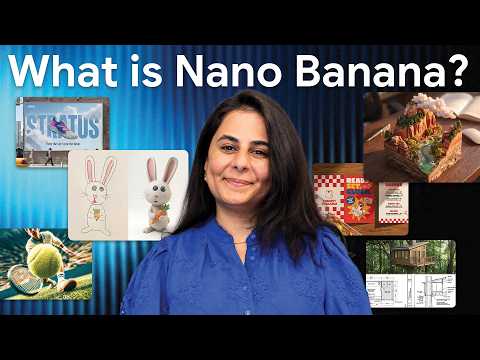 Nano BananaNano Banana is Google's name for its Gemini image generation and editing models. The newest, Nano Banana 2.1, came out on Oct 6, 2026; it is free to use with limits in the Gemini app and costs about $0.034 per 1K image in the Gemini API.
-
-
 MidjourneyMidjourney is a paid AI image and video generator from the independent lab Midjourney, Inc. Plans run from $10 to $120 a month with no free tier, and its default model since Jul 24, 2026 is V8.2.
-
 Stable DiffusionStable Diffusion is Stability AI's family of open image models (SD 1.5, SDXL, SD 3.5) that anyone can download and run on their own computer. SD 3.5 is free to use commercially for those under $1 million in annual revenue, and Stability's API charges from $0.025 an image.